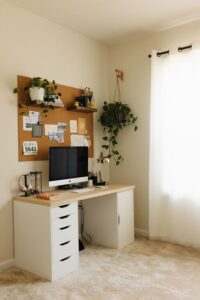
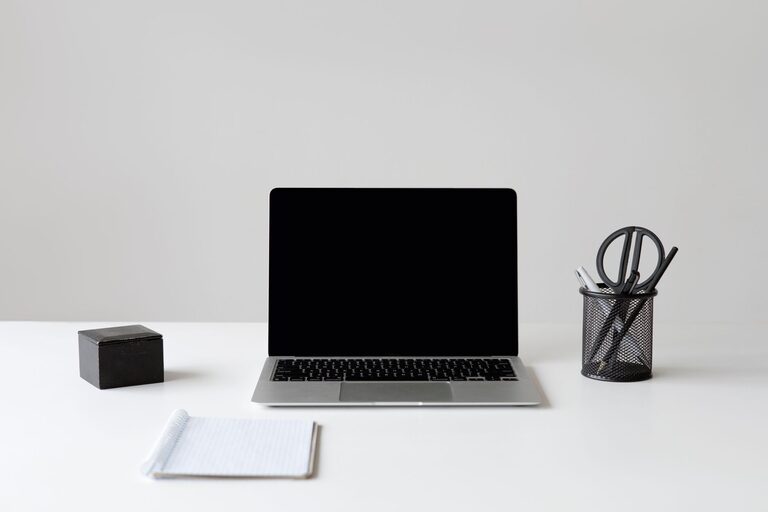
Creating a productive and inviting home office starts with keeping your space organized and clutter-free. A tidy workspace helps you focus, reduces stress, and boosts efficiency throughout your workday. Whether you’re working remotely full-time or occasionally catching up on tasks, these actionable tips will help you design and maintain an organized home office.
Why a Clutter-Free Home Office Matters
A cluttered desk or room can distract you and make it harder to find what you need. Disorganization may lead to wasted time and frustration, which lowers your productivity and creativity. On the other hand, a clean and well-structured workspace promotes a clear mind and helps you stay motivated.
Step 1: Declutter and Sort
Before adding any organizing tools or furniture, start by decluttering your current space.
– Clear your desk: Remove everything from your work surface. This gives you a fresh canvas.
– Sort items into categories: Group your belongings into categories like documents, office supplies, electronics, and personal items.
– Decide what to keep: Only keep things you regularly use or that add value to your work.
– Discard, donate, or recycle: Get rid of anything broken, outdated, or unnecessary.
This initial sorting process helps you understand what items need storage and what can be eliminated.
Step 2: Choose Functional Storage Solutions
Once you know what you need to store, find the right organizers that fit your space and style.
Desk Organizers
– Use trays, pen holders, and small containers to separate everyday items.
– Consider a desk with built-in drawers or compartments.
Shelving and Cabinets
– Vertical shelves can maximize storage without taking up much floor space.
– Closed cabinets or drawers keep clutter out of sight and maintain a clean look.
File Storage
– Use labeled folders or a filing cabinet for paperwork and important documents.
– Digitalize files when possible to reduce physical clutter.
Step 3: Create Zones for Different Tasks
Design your home office with specific zones that serve distinct purposes.
– Work Zone: Your desk, computer, and frequently used tools should be here.
– Supply Zone: Store office supplies in an accessible area.
– Reference Zone: Books, manuals, and important documents can be kept on shelves nearby.
– Relaxation Zone: If space allows, add a comfortable chair or area for breaks.
Clearly defined zones reduce distractions and help you stay organized naturally.
Step 4: Manage Cables and Tech
Technology can easily create clutter with tangled cords and multiple devices.
– Use cable organizers or clips to bundle wires neatly.
– Employ wireless peripherals like keyboards and mice if possible.
– Designate a charging station to keep devices in one place.
– Regularly clean and dust your electronics to maintain a tidy workspace.
Step 5: Maintain a Daily Routine
Organizing your space once is not enough; regular upkeep is key.
– Spend 5-10 minutes at the end of each day tidying your desk.
– Put items back in their designated spots.
– Discard any trash or unnecessary papers immediately.
– Review your filing system weekly to avoid pile-ups.
Building these habits will keep your home office consistently clutter-free.
Step 6: Personalize Mindfully
Adding personal touches makes your workspace inviting, but too many decorations can create clutter.
– Choose a few meaningful items like photos or plants.
– Keep decorations minimal and functional, such as calendars or memo boards.
– Regularly evaluate what items you have and remove anything that doesn’t add value.
Additional Tips for Small Spaces
If your home office area is limited, try these extra strategies:
– Use multi-purpose furniture such as ottomans with storage.
– Mount shelves on the wall for extra vertical space.
– Opt for foldable desks or chairs you can store away.
– Keep only essentials in your workspace and store other items elsewhere.
—
Organizing your home office takes time and effort, but the results are worth it. A clutter-free space can improve your focus, efficiency, and overall work experience. Start with decluttering, invest in smart storage solutions, and develop routines that support long-term organization. With these simple tips, you can create a home office that works for you.