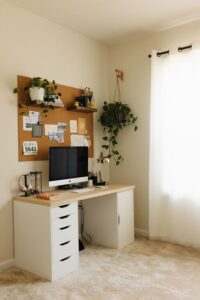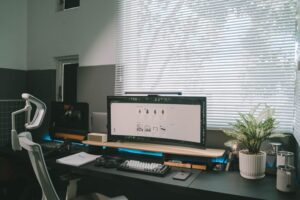

Creating a productive home office environment is essential for those who work remotely or freelance. A well-organized and comfortable workspace can improve focus, reduce distractions, and enhance your overall work quality. Whether you have a dedicated room or a small corner, these practical tips will help you set up a home office that promotes productivity and well-being.
Choose the Right Location
Find a Quiet Space
Select a quiet area in your home where you can work with minimal interruptions. If possible, avoid high-traffic zones like the kitchen or living room, where background noise might distract you.
Natural Light is Key
Try to set up your workspace near a window to take advantage of natural light. Sunlight can boost your mood and reduce eye strain. If natural light is limited, invest in good quality artificial lighting that mimics daylight.
Invest in Comfortable Furniture
Ergonomic Chair and Desk
A supportive chair and a desk at the right height are crucial for comfort during long hours of work. Ergonomic furniture helps prevent back pain and improves posture.
Consider a Standing Desk
Alternating between sitting and standing can reduce fatigue. If budget permits, try a sit-stand desk or a desk converter that allows flexibility.
Organize Your Workspace
Declutter Regularly
Keep your desk clean and organized by removing unnecessary items. A clutter-free workspace helps clear your mind and keeps you focused.
Use Storage Solutions
Use shelves, drawers, or organizers to store documents, supplies, and equipment. Labeling storage boxes can make finding items quick and easy.
Minimize Distractions
Set Boundaries with Family or Housemates
Communicate your work hours clearly to others in your home to reduce interruptions. Consider using signs or closed doors as visual cues.
Turn Off Non-Essential Notifications
Silence or mute non-work-related notifications on your phone and computer during work hours to maintain focus.
Personalize Your Space
Add Elements That Inspire You
Decorate your workspace with items that motivate you, such as plants, artwork, or meaningful photos. A pleasant environment can improve creativity and mood.
Maintain a Comfortable Temperature
Control room temperature to stay comfortable. Being too hot or cold can decrease your ability to concentrate.
Optimize Technology and Tools
Reliable Internet Connection
Ensure your internet connection is fast and stable for video calls and online work. Consider upgrading your plan or using a wired connection if needed.
Use Quality Equipment
Invest in a good computer, monitor, keyboard, and headphones that meet your work needs. Quality tools reduce frustration and increase efficiency.
Establish a Routine
Set Consistent Work Hours
Create and stick to a daily schedule to separate work time from personal time. This helps build discipline and reduces burnout.
Take Regular Breaks
Incorporate short breaks to stretch, hydrate, or rest your eyes. Following techniques like the Pomodoro method can increase productivity by balancing work and rest.
Prioritize Health and Well-being
Stay Active
Incorporate movement into your day, such as walking during breaks or doing light exercises. Physical activity boosts energy and mental clarity.
Maintain Proper Posture
Sit upright, keep your feet flat on the floor, and position your screen at eye level. Proper posture prevents discomfort and possible injuries.
Keep Learning and Improving
Adjust Your Setup as Needed
Periodically reassess your workspace to see what works and what doesn’t. Small changes can have a big impact on your efficiency.
Stay Informed About Productivity Tips
Read articles, watch videos, or join communities focused on remote work to discover new ideas and stay motivated.
—
Creating a productive home office environment doesn’t require a big budget or a large space. By applying these thoughtful strategies, you can build an efficient and comfortable workspace that supports your professional goals and personal well-being. Start with small changes, and enjoy the benefits of a productive home office!